Documentation
National Metadata Directory--Editing Records
This documentation is intended for service administrators. If you are an end user, we have a documentation for you as well.
Opening a Record for Editing
When a new metadata record is created by a user in the NMD, the record can be edited by the originating user for a period of 7 days. The user needs to be logged in to edit the record.
If editing is necessary after the period, the users will have to ask support to open the record for editing again. You need to be a repository administrator to do that.
Search for the record in question. In the upper right corner, you find buttons “Edit” (for direct editing of the record, note this is strongly discouraged to edit records on behalf of users), and “Share”. Select “Share”.
It lists users with access to the record. To add an editor, use “Add people”, and then:
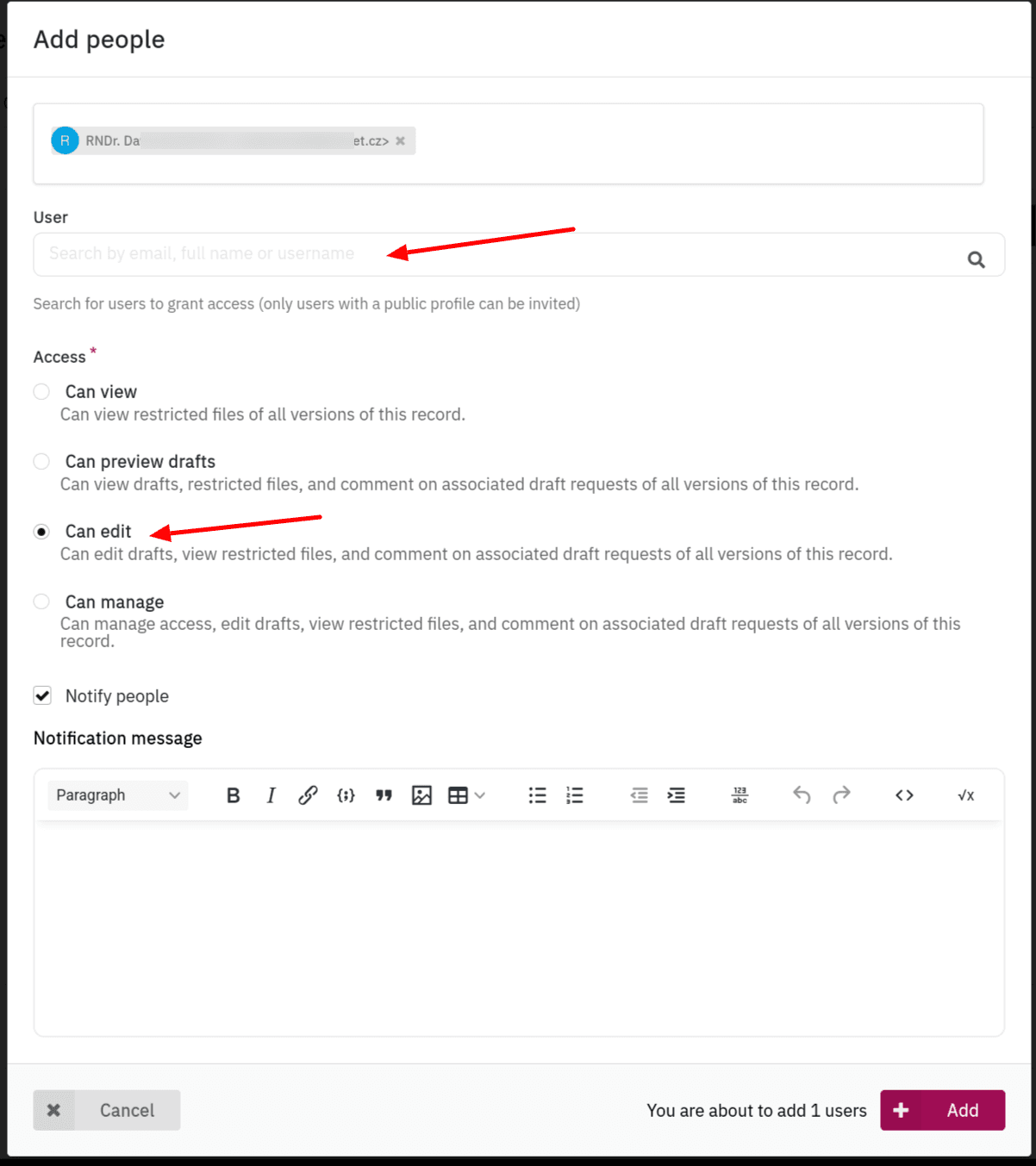
- search for the user to add,
- select “Can edit”,
- select whether the person should be notified by mail, you can also add a personalised message (not necessary in most cases).
Note that editing permissions will be automatically removed after 7 days.
Last updated on