Verifying Datasets for RIV
Having a metadata record in the National Metadata Directory (NMD) is mandatory for datasets (i.e. T-type records) collected to IS VaVaI/RIV.
For datasets already indexed in the NMD, you can find the “link to the NMD for RIV”
in the listing of each metadata record, such as here:
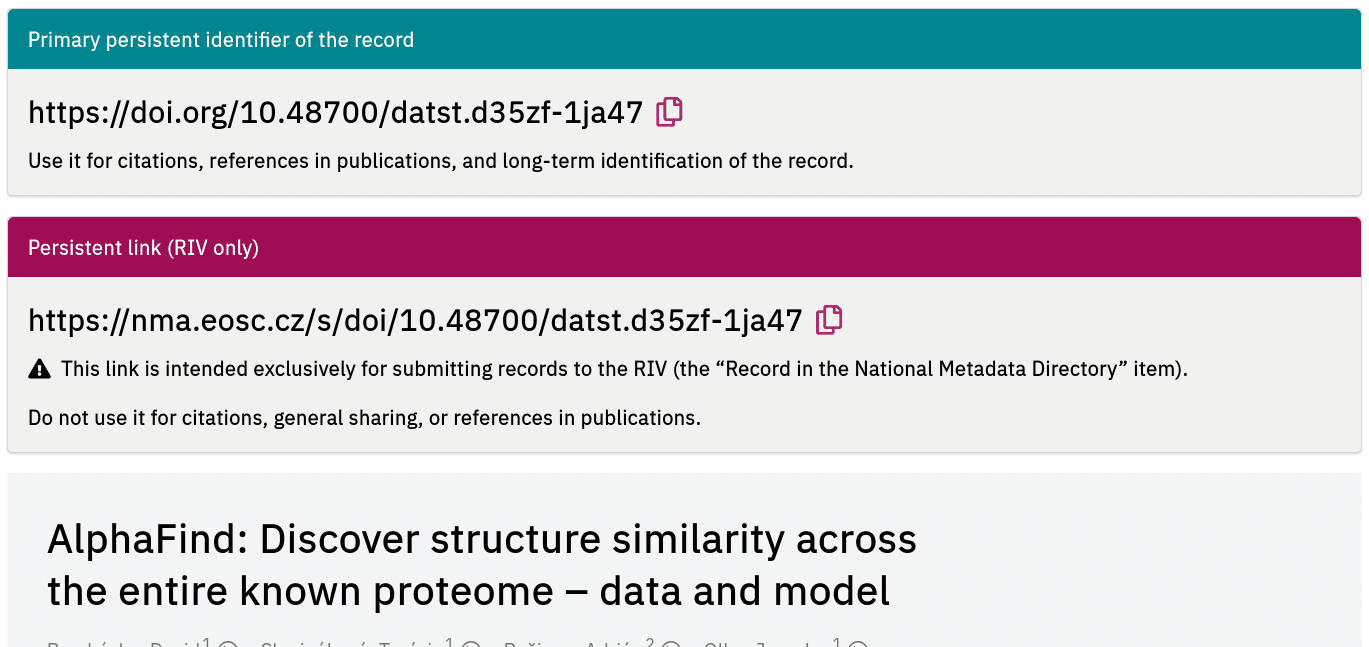
Kindly note that the “link for RIV” should never be used as a persistent identifier anywhere else except in RIV, such as in citations or long-term identification of the record. Anyway, you will need both identifiers for creating of a RIV record.
Verifying Datasets for RIV
Note that a dataset must have a persistent identifier to be acceptable as “result of type T” by RIV. It is usually DOI or Handle (but other types are also acceptable). The persistent identifier should be used in citations, publication references, and other long-term identification of the record.
Browse to the National Metadata Directory at https://nma.eosc.cz.
Select “Obtain the link for RIV”. You will be asked to log in (refer to description how to register and log in if you need help).
Insert the DOI or Handle of the record to the following form (DOI should be
preferred if the dataset has both types of PID):
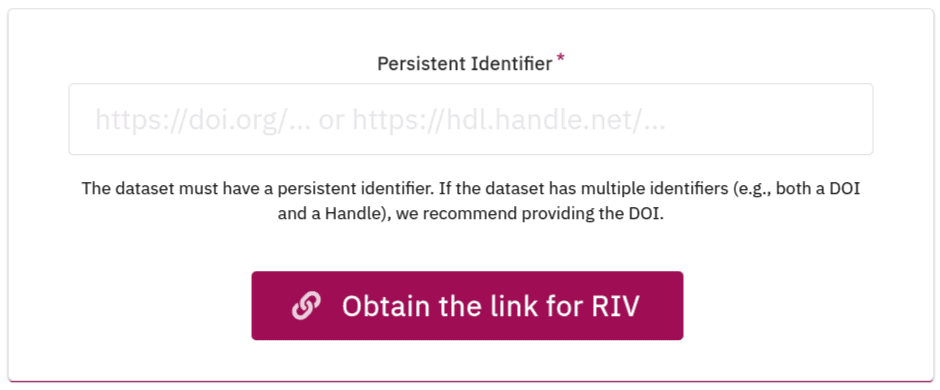
The following outcomes are possible:
1. The Dataset is Already Registered in the NMD
In that case, its metadata is displayed, including the link for RIV as described above.
2. Metadata of the Dataset Could be Harvested
If the NMD doesn’t know the dataset yet, it will attempt to retrieve and download its metadata. If that succeeds, resulting in a valid metadata record, the NMD will announce it registered a dataset. Again, its metadata will show the link for RIV.
Note that the NMD does its best to retrieve the metadata from DataCite and/or the primary repository.
3. Metadata of the Dataset Could Not be Harvested
If the NMD could not retrieve dataset’s metadata (or it retrieved only a part of it), you will receive a warning stating We detected some metadata issues within the record. To obtain a URL for RIV reporting, please check and correct the metadata below. In that case, fill in the requested basic metadata manually. For authors/creators, use the “Add creator” button. Don’t forget to save the record when you are finished.
Correcting Recent Records
You can edit records you created recently, should any corrections be necessary. Editing is available for 7 days after the record is created. For reference, you will also receive an email with direct link to the record you created, but you can open the edit form simply by the same procedure as above: searching for the persistent identifier. Naturally, you need to be logged in to edit the record.
If corrections are necessary even after the editing period, kindly contact support and identify the record to be corrected. They will reset the editing timer for your record.
Note that a record cannot be deleted (as somebody else may rely on its existence in the NMD once it’s been created).
General Comments
Ideally, the repository you use for your datasets should be harvested by the NMD automatically. If that is not the case (in cases 2 or 3 described above), consider notifying the administrator of the repository to arrange to have its metadata harvested by the NMD. You can point them to the documentation on exports to the NMD.
In case of any issues, kindly contact support.